Setup Your First Ice Breaker in 30 Seconds
No tutorials. No onboarding wizard. Here's the whole thing, step by step.
1 min read · April 2026
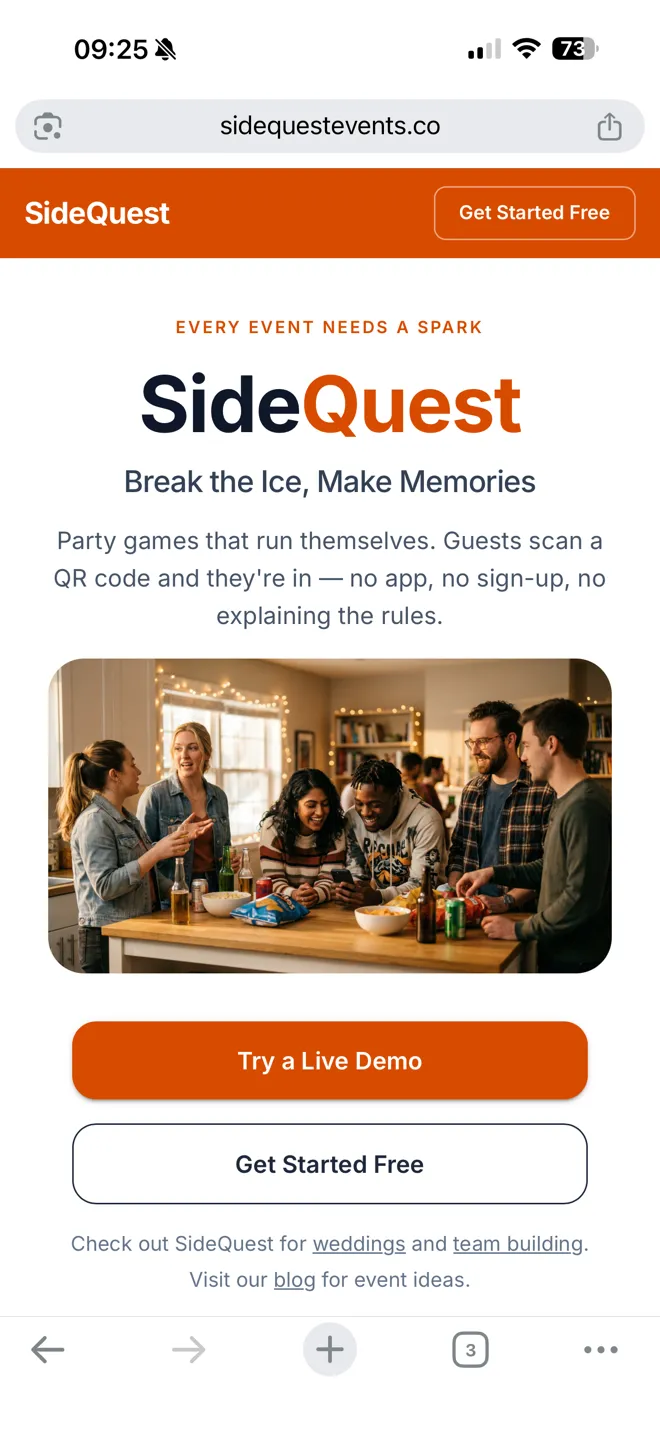
Step 1
Hit "Get Started Free"
Top right corner. No credit card required.
Step 2
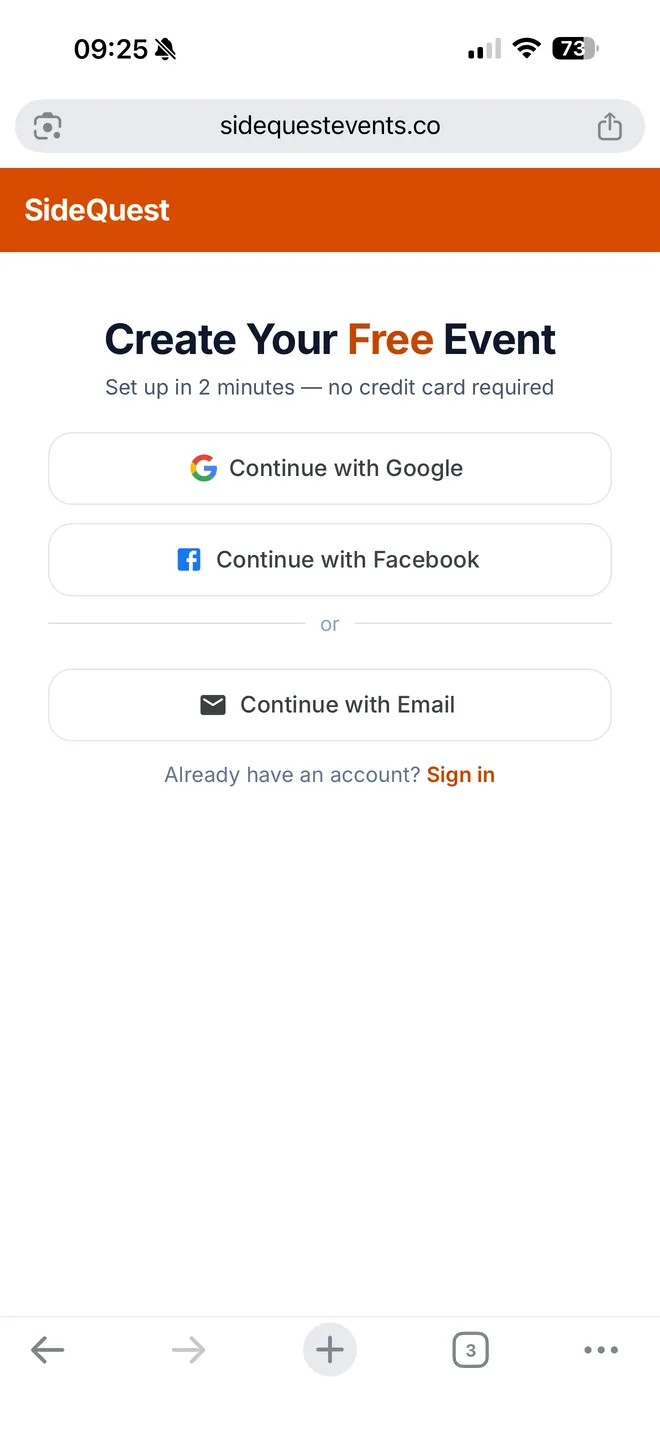
Create Your Free Account
Sign up with Google, Facebook, or email. One tap.
Step 3
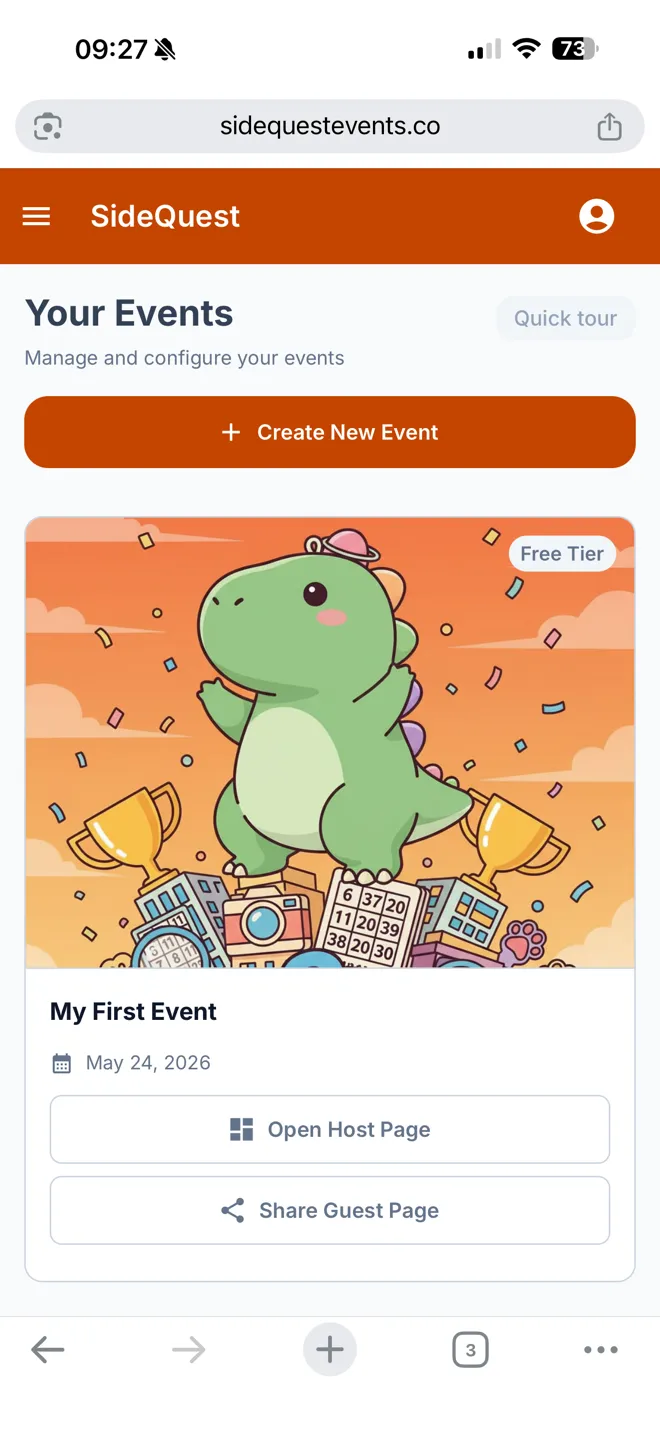
Your First Event Is Already Created
The Create Event wizard opens straight away — pick your event type and SideQuest sets it up with ice breakers ready to go.
Step 4
Share With Your Guests
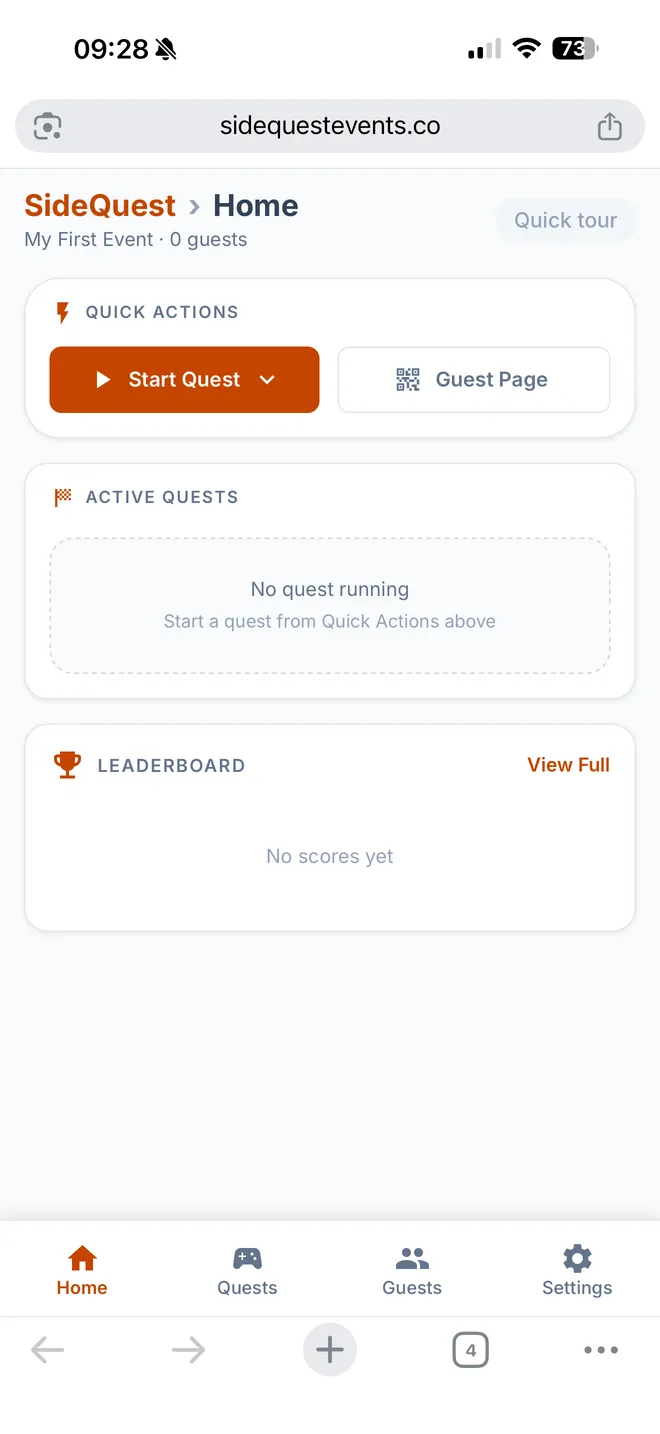
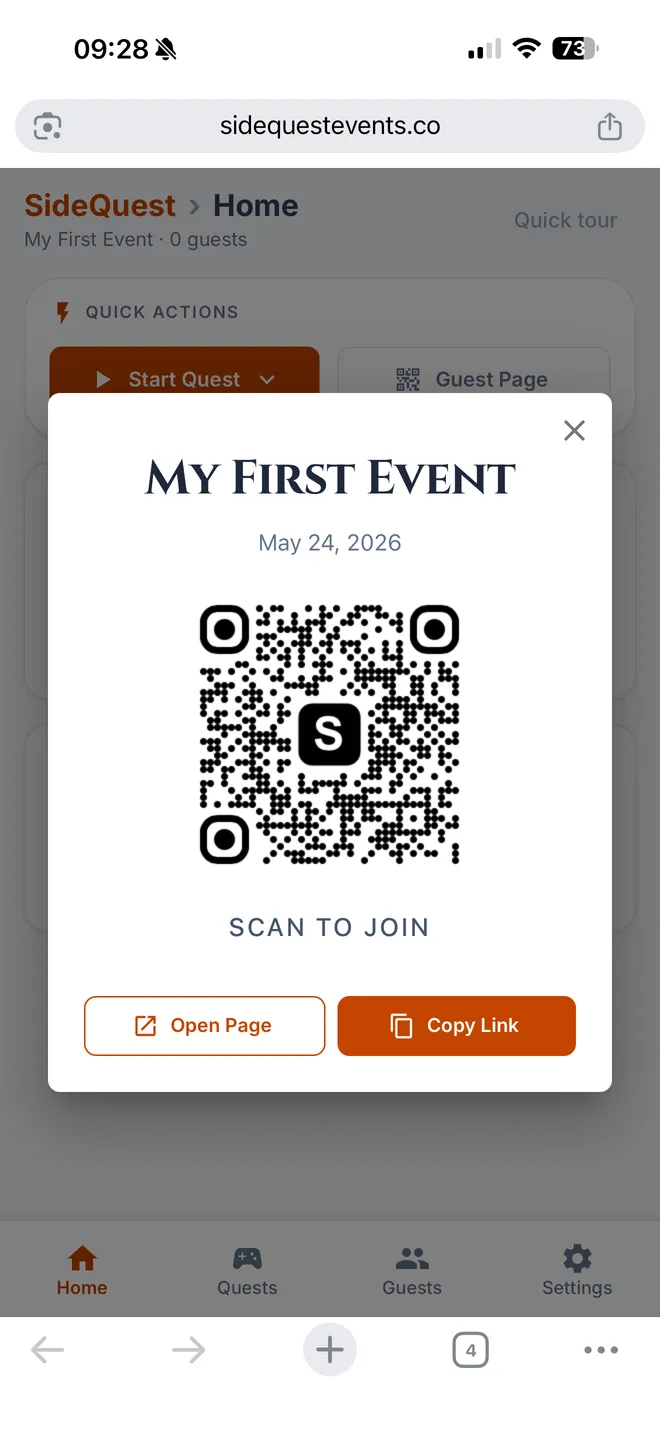
Tap Guest Page in the top right to get the link and QR code you'll share with guests.
Step 5
Share the QR Code
Have guests scan the QR code on their phone to join, or tap Copy Link to paste it in a group chat.
Step 6
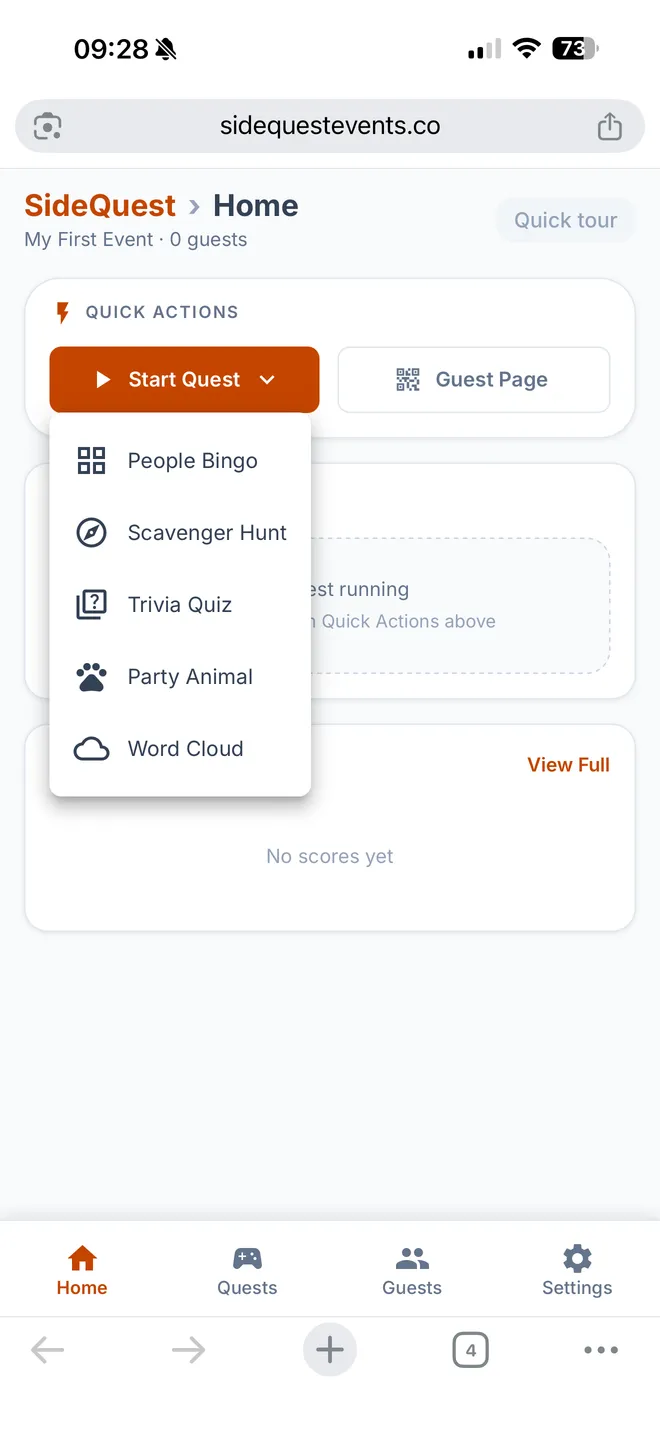
Start an Ice Breaker
Tap Start Quest, pick an ice breaker, and go. Guests see it instantly on their phones.
That's It
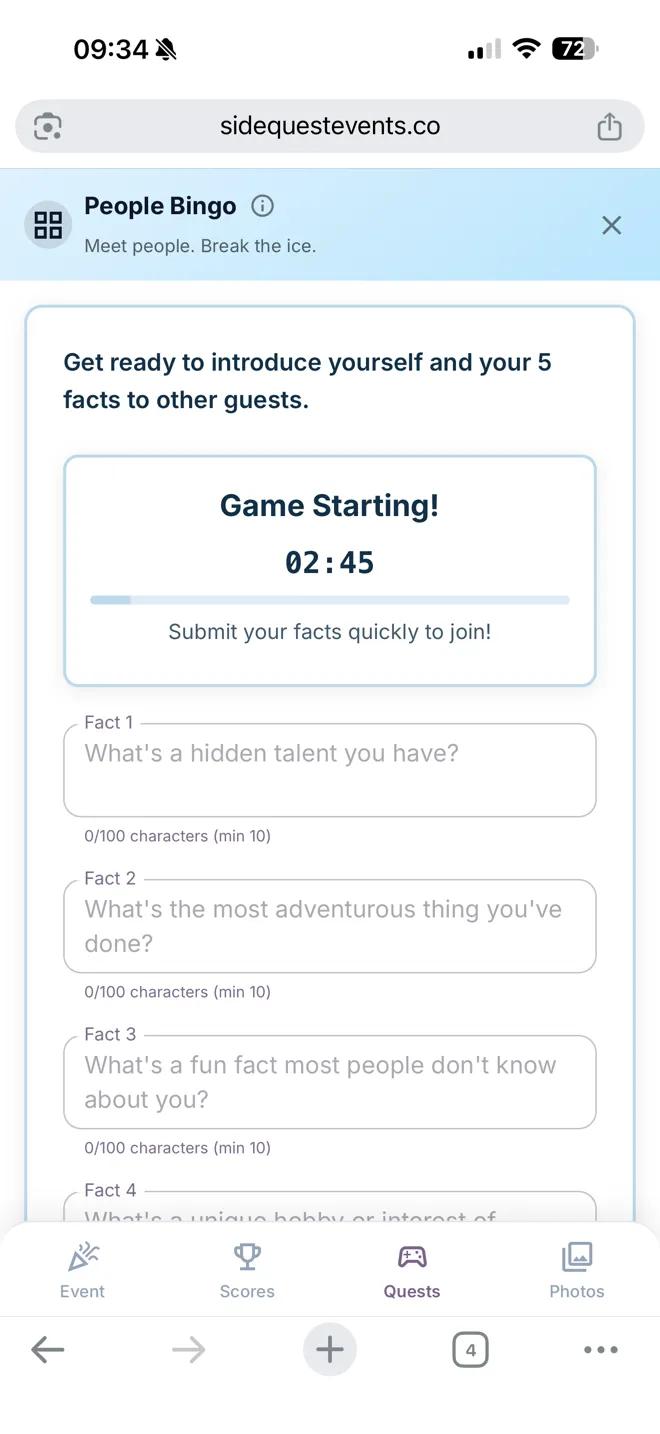
Your Guests Are Playing
The ice breaker starts and automatically pops up on every guest's phone. Here's what they see — People Bingo counting down, ready to go. 30 seconds from sign-up to this.
Ready in 30 seconds. Seriously.
Free for up to 100 guests. No credit card required.