5-Minute Ice Breakers for Your Next Virtual Team Meeting
Quick, zero-setup activities that bring remote teams together — no app download required.
5 min read · April 2026

You know the feeling. The meeting starts, cameras flicker on (some don't), and the first five minutes are a polite loop of "How's everyone doing?" followed by silence. The energy never quite arrives.
It's not that people don't care. It's that virtual meetings strip away all the organic, in-between moments — the hallway chat, the coffee run, the shared laugh before things get started. Without those moments, meetings feel transactional.
The fix is simpler than you'd think. A short, well-placed game at the start of a meeting can shift the entire tone. Not a 30-minute team-building exercise. Not an awkward icebreaker question. Just five minutes of something genuinely fun that gives people a reason to show up as themselves.
SideQuest is a browser-based set of quick team games your team joins instantly with a QR code — no app, no login. Here are five you can run at the start of your next virtual meeting. Each one takes under five minutes and works with any video call platform.

Game 1
People Bingo
Best for: Helping teammates get to know each other beyond the job title
People Bingo turns your team into the game board. Everyone submits five unique facts about themselves — things like "I can play a musical instrument well" or "I have a hidden talent for cooking." Then each player gets a 5×5 bingo card filled with facts from other people on the call.
In virtual mode, one person introduces themselves and shares their five facts while everyone else checks their grid for matches. Unmatched squares shuffle every two minutes to keep the energy moving. You score a point for each match and a bonus for every completed line of five.
It works in virtual settings because it gives people a structured reason to actually listen to each other. Instead of the usual awkward "unmute and say something" dynamic, everyone's paying attention and rooting for a match. You learn things about your coworkers you'd never find out in a status update.
See it in action
Try the live demo on your phone — no sign-up, takes 10 seconds.
Try Live Demo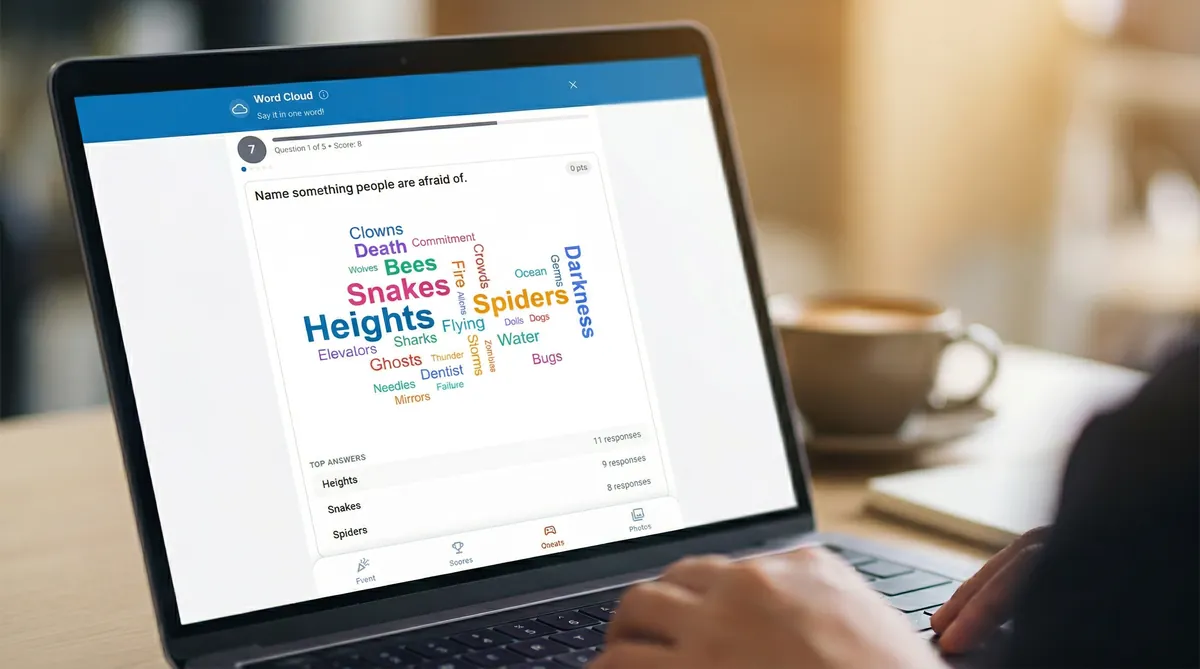
Game 2
Word Cloud
Best for: A quick pulse check or creative warm-up
A question appears on screen with a timer — something like "What's one word that describes your week?" or "What are you most excited about this quarter?" Everyone types up to three one-word answers, and a live word cloud builds in real time. The most popular answers grow larger. All your answers score — the #1 answer earns +2, and the #2 and #3 answers earn +1 each.
Word Cloud is the fastest game on this list. It takes about 60 seconds per round, which makes it perfect for standups or check-ins where you want a moment of connection without eating into the agenda. It also surfaces honest responses — so you get a real read on the room, not just what the loudest voice says.
Game 3
Party Animal
Best for: Getting people to loosen up and laugh together
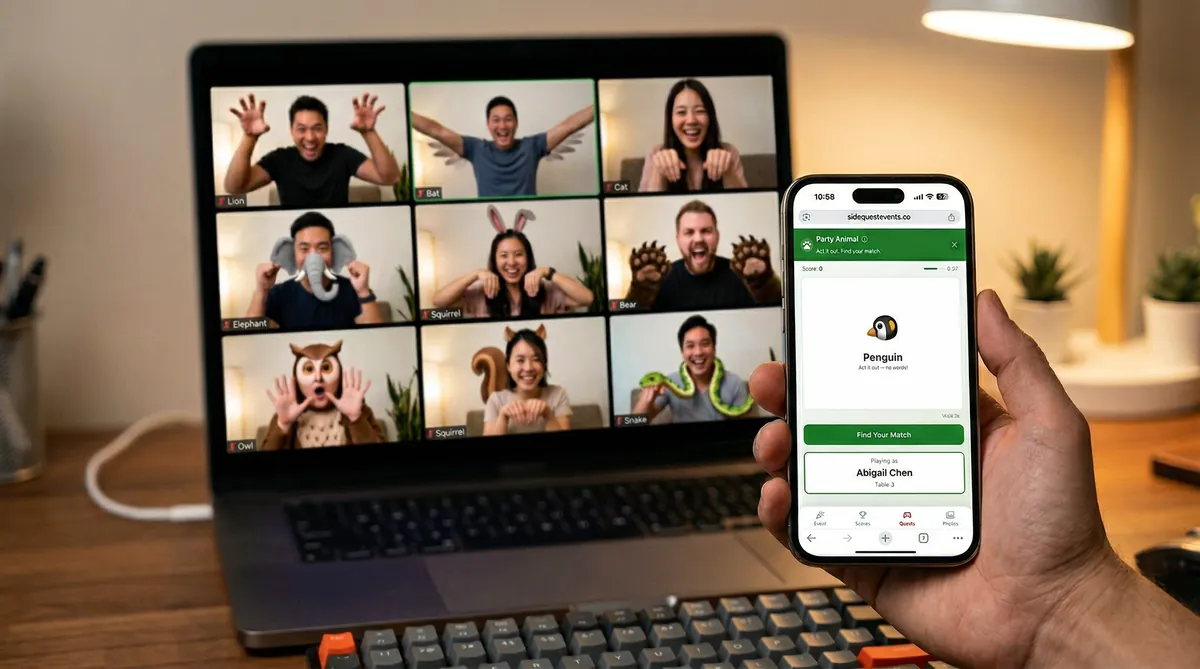
Each player gets a secret animal card. The mission: act it out on camera — animal sounds and movements encouraged, just no words — and find the other person on the call with the same animal. Once you spot your match, search their name to confirm it. Both players score a point and get a new animal. Stuck? Shuffle for a fresh one.
It's charades on steroids. The magic of Party Animal is that it levels the playing field. Your VP and your newest intern are equally ridiculous doing a penguin impression. It breaks through the invisible hierarchy that makes virtual meetings feel stiff, and it gives the team a shared inside joke for the rest of the day.
Pro tip
Turn cameras on for this one. Half the fun is watching people commit to the bit. It's also the fastest way to get cameras on for the rest of the meeting.
Game 4
Scavenger Hunt
Best for: Getting the whole team engaged in a collaborative, high-energy challenge
Here's the thing about virtual meetings: everyone's sitting in the same position, staring at the same screen, for hours. Scavenger Hunt changes that. The host hides QR codes around their room or office and shares their camera on the video call. Everyone on the call directs the host where to look — "Check behind the monitor!" "Open that drawer!" — and when a code is found, someone scans it from the shared video feed.
Each scanned code unlocks a piece of a 9-piece puzzle. Find all nine to reveal the mystery image and earn bonus points. It's collaborative, it's physical, and it gets your team shouting directions at each other in a way that no status update ever will. The whole thing takes about five minutes and leaves people energized.
Game 5
Mug Shot
Best for: A warm, low-key icebreaker that sparks real conversations
This one uses SideQuest's Photo Share feature with a twist. Everyone uploads a picture of their coffee mug (or tea cup, or water bottle — no judgment) and writes a short description. That's it.
It sounds almost too simple, but that's what makes it work. The descriptions are where the personality shows up. "This mug has survived three office moves and one toddler." "My partner made this in a pottery class. Yes, it leaks." "I've been using this since college. It's older than some of our interns."
The shared photo wall fills up in real time, and suddenly you have a gallery of small, personal stories. People naturally start asking follow-up questions. It's the kind of low-pressure, high-warmth moment that virtual work usually lacks.
30 Seconds to Set Up
All five games run through SideQuest. Here's the process:
- Create a free account — sign up with Google, Facebook, or email. Your first event is created automatically with games ready to go.
- Share the link — drop it in the meeting chat or put it on a shared slide. Everyone joins instantly from their phone. No app, no login.
- Start a game — tap Start Quest, pick a game, and it pops up on every participant's phone. Screen-share the live results for extra energy.
SideQuest is free for up to 100 participants. For most team meetings, that's more than enough.
Make your next meeting the best one yet.
Try the live demo on your phone — takes 10 seconds, no sign-up. Free for up to 100 people.