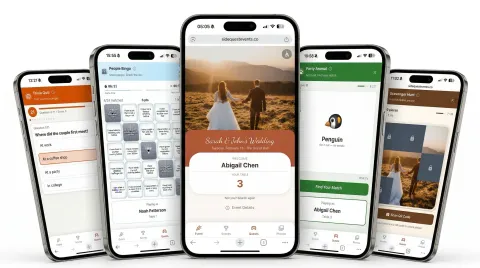

Everything in One QR Code
Put the QR code on the table or drop the link in a group text. Guests scan and land on your event's own page — the schedule, the venue, and every activity.

Ice Breakers That Get Everyone Talking
Live Trivia, Scavenger Hunts, and a shared Photo Wall — every ice breaker turns phones into the party.

The Ice Breaker That Steals the Show
Party Animal gives everyone a secret animal to act out — animal sounds encouraged, just no words. It's charades on steroids. The room erupts, inside jokes are born, and someone always goes way too hard. That's the point.
What's Behind the QR Code
One QR code, from the first RSVP to the last photo.

Being in the same room isn't the same as being together.
Ice breaker ideas, event tips, and stories from the SideQuest team — for hosts who want their guests to actually have fun.
Your Guest Hub Is Live in 30 Seconds.
Get your event page up and running in seconds
Create a Free Account
Sign up with Google, Facebook, or email — one tap and you're in
Fill In Your Details
Add your schedule, venue, and FAQs, then pick your colors and fonts
Share One QR Code
Guests scan the QR code, type their name, and everything is right there
Frequently Asked Questions
It's instant and app-free. Display your event's QR code (we generate it for you). Guests scan it with their phone camera, enter their name, and they're in — no downloads, no account creation. They can start playing in seconds.
SideQuest works for any event — small or large, in-person or virtual: team meetings, offsites, house parties, birthday parties, weddings, reunions, conferences, and more. If you have a group of people, SideQuest breaks the ice.
Most ice breakers work the same way online. For People Bingo, have each guest take a turn introducing themselves and sharing their 5 facts — then everyone matches squares to people as they go. Trivia, Photo Wall, and Party Animal work identically whether you're in-person or on a call. Just share your event QR code or link in the chat.
Everything behind one QR code: your own event page (schedule, venue, FAQs), RSVP collection, group chat with host announcements, a shared photo and video album with a full-screen slideshow, a live scoreboard, and all five ice breakers.
That's the point of a hub. When no ice breaker is running, guests are checking the schedule, seeing what's next, browsing the scoreboard, posting to the shared photo album, and chatting. It doesn't go quiet when a game ends.
Every plan includes all ice breakers: Live Trivia (real-time quiz rounds with instant scoring), People Bingo (guests submit five facts about themselves, then work out whose facts fill their card), Scavenger Hunts (QR-based clue trails), Party Animal (act out a secret animal — sounds and movements encouraged, just no words), and Word Cloud (live group answers).
Yes — SideQuest is completely free for up to 100 guests, with all ice breakers included and no credit card required. That covers most teams, house parties, and hangouts. If you're hosting something bigger (100+ guests), you can upgrade a single event for $99 (one-time).
SideQuest has two event styles. In Casual mode, guests play individually and compete on a personal leaderboard — great for house parties and hangouts. In Seated mode, guests are assigned to tables and their individual scores roll up to their table's total, so tables compete against each other on a live team leaderboard. Both modes keep the competitive energy going all night!
Guests need an internet connection (WiFi or mobile data) to play. The ice breakers are lightweight and work well on slower connections.
Write your own event info sections, set your colors and fonts, then write custom trivia questions and scavenger hunt clues specific to your group. People Bingo needs no setup at all — the cards build themselves from the facts your guests submit. Inside jokes encouraged.
All event data — photos, guest names, scores — is automatically deleted 180 days after your event. Download anything you want to keep first. We don't sell data or use it for advertising.

Your Next Event, Upgraded
Check out SideQuest for weddings, team building, and baby showers. Visit our blog for event ideas.